
Replace air-conditioner remote batteries
Renew a fading handheld remote’s batteries using the type, polarity and cover-opening method specified for that model.
What will you learn?
Renew a fading handheld remote’s batteries using the type, polarity and cover-opening method specified for that model.
Materials
- A complete set of new batteries of the exact specified size and chemistrySearch Amazon Ireland ↗
Step by step
Photorealistic illustration · Waey
1. Check the model and the battery instructions
Find the remote’s model information and read how its battery compartment opens. A sliding rear cover is common, but some models open differently, so avoid forcing plastic clips. Confirm the exact battery size and chemistry rather than buying a cell that merely appears to fit. A fading display or reduced operating range can suggest weak batteries, but replacement is only one basic check and does not establish the cause of every control problem.

Photorealistic illustration · Waey
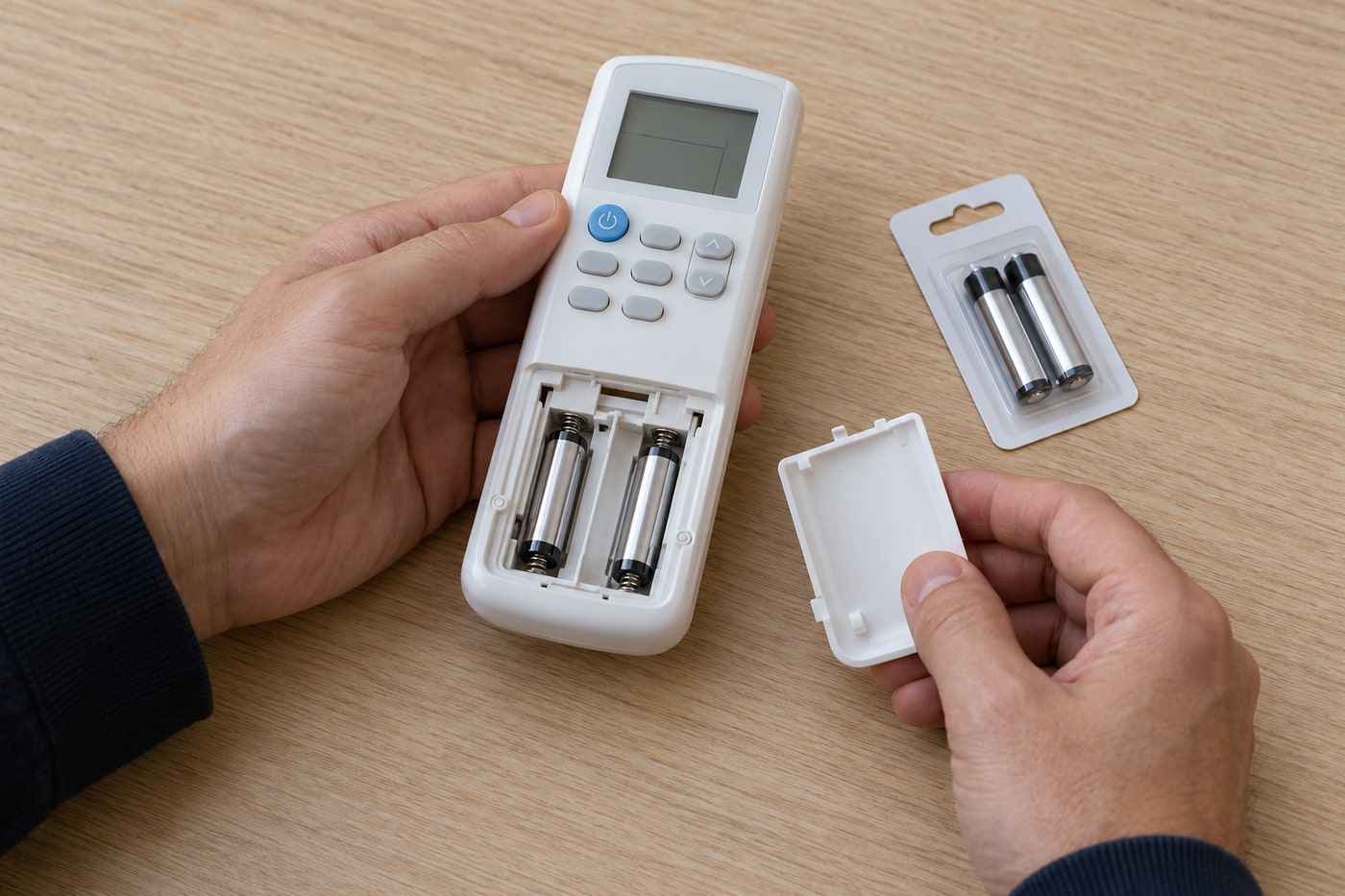
2. Remove both old cells and inspect visually
Place the remote on a dry table and open only the intended battery cover. Remove the old cells gently, noting the polarity marks moulded into the compartment rather than copying a potentially incorrect old arrangement. Replace the whole set together. If you see liquid, white crust, swelling or damaged contacts, stop and obtain appropriate handling advice; do not touch residue, scrape it with metal or continue by pressing new cells against corroded contacts.

Photorealistic illustration · Waey
3. Insert a matching new set in the marked direction
Use fresh batteries of the same specified type and follow the plus and minus marks for each slot. Do not mix an old cell with a new one or combine different types. Seat each cell with gentle pressure and check that nothing is bent, trapped or loose before sliding the cover back normally. If it will not close easily, recheck the size and positioning rather than forcing the cover or altering the contacts.

Photorealistic illustration · Waey
4. Test the remote and dispose of old cells properly
Check that the display returns, then aim the transmitter at the indoor unit with a clear line of sight and use an ordinary permitted command. Re-enter the clock or timer only as the manual specifies, since some settings may reset. If control still fails, consult model-specific troubleshooting without opening equipment. Keep the removed cells safely away from children and take them to an appropriate local battery collection point rather than leaving them loose on the table.
Watch the method
Watch the method
Dawson Heating & Cooling demonstrates replacement on one Daikin remote in English. Compartment opening and cell type vary; follow the instructions for your exact remote.
Dawson Heating & Cooling · English
Watch on YouTube ↗Final checks
The cover should close normally and the remote should respond consistently. Keep its transmitter clean and dry; persistent faults need the maker’s troubleshooting or service advice.
Sources
Photographs are credited beside each image. Generated photorealistic illustrations by Waey; linked videos remain with their creators.